

For embroidery shops
Every embroidery order, from the counter to the machine file.
Start with the Kiosk: customers personalize your designs on a tablet and approve a preview drawn from the real stitches. You get a production-ready order instead of a handwritten slip.
- Free trial: 14 days, no card required.
- Demo: a live sample shop to try, with no signup or card.
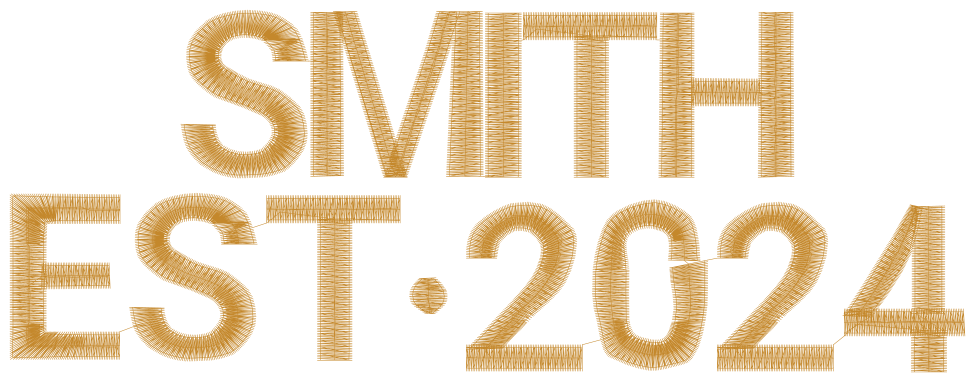
Type a name, pick a thread color, and try it on a different fabric
This demo shows a few controls. The real editor and kiosk also set letter spacing, size, layouts, monograms, envelopes and moving letters.
$100/mo
The Kiosk, everything in it included
1 scan
From receipt to paid order at the register
4
Stitch formats: DST, PES, EXP, JEF
What ThreadReady is
Embroidery order software for shops that personalize.
ThreadReady is embroidery order software for shops that personalize. Customers design on a tablet at the counter, approve a preview drawn from the real stitches, and pay at the register; the shop gets a production-ready order and the machine file.
- Available now
- The Kiosk, for walk-in orders at the counter.
- Price
- $100/mo, everything included, 14 days free.
- Machine files
- DST, PES, EXP and JEF.
- Works with
- Any tablet or computer with a modern browser.
How orders reach your machines
One shop, four ways an order comes in.
The Kiosk takes walk-in orders today. Commerce, AI and Studio are coming soon, for the orders that start online, with a logo, or with your own digitizing.
Walk-in
A customer at your counter wants a name on a jacket.
ThreadReady Kiosk
Available now · $100/moCustomers personalize your designs on a tablet at the counter, approve a preview drawn from the real stitches and pay at your register. The order arrives ready to stitch.
- A live preview drawn from the real stitches
- Your BX fonts, threads and prices
- Scan the receipt to open the order and mark it paid
Online
A shopper on your website wants the same thing.
ThreadReady Commerce
Coming soonA plugin for the online store you already run. Shoppers will personalize on your product page, and the approved design goes into the cart with the order. Shopify first, then WooCommerce.
- Adds to your store: no new website
- The same fonts, threads and prices as your kiosk
- Shopify first, then WooCommerce
A customer's logo
A customer walks in with a logo for their team shirts.
ThreadReady AI
Coming soonThe logo will be digitized in your shop while the customer waits, and they approve the stitch preview before they pay. They can send the logo from their phone, from a link you text them.
- Digitized in the shop, on the spot
- The customer sends the logo from their phone
- You check the stitch file before it is sewn
Your own designs
You digitize a design for a team order, or fix one that sews badly.
ThreadReady Studio
Coming soonFor whoever digitizes in your shop. Build or fix a design stitch by stitch, with fills, satins, underlay and lettering, and save it as a machine file.
- For the digitizer in your shop
- Fills, satins, underlay and lettering
- Saves the machine files you already use
The Kiosk in your shop
From the counter to the machine, with no slip to read.
- 1
The customer approves
They approve the stitch preview on the kiosk and get an order number, the total and a QR code.
- 2
You scan at the register
Scan the QR code on any staff page and the order opens. Set the scan to Mark paid and it is marked paid too.
- 3
The file is ready
Download the machine file in your shop's format, or a batch as one ZIP, and move the order to In production.
- 4
Ready, then picked up
Scan it to Ready for pickup when it is done, and to Picked up when it leaves.
Pricing
Kiosk: $100/mo, everything in the kiosk included.
Unlimited orders and staff, 14 days free with no card. Commerce and AI will be priced separately when they launch.
Questions shops ask
About the Kiosk, which you can use today, and the products that are coming. More on the Kiosk page, in Help, or in the short answers.
What hardware do I need?
A tablet or computer with a current web browser, on a stand at your counter. There is no app to install: you pair the tablet with a one-time code.
To scan receipts, use a USB or Bluetooth scanner that reads QR codes, or the camera of a phone or tablet. A receipt printer is optional; receipts are emailed by default.
We haven't tested specific models yet, so we don't recommend any. Place a few test orders first. What to look for: Kiosk hardware and barcode scanners
Which machines and file formats does it work with?
Any machine that reads DST, PES, EXP or JEF. You pick your shop's main format (DST unless you change it) and download each order's file, or a batch of orders as one ZIP. The preview customers approve is drawn from the same stitch data.
How do I set up designs and fonts?
Build designs in the visual editor, or start from the sample designs. You choose the fields customers fill in, the fonts and threads they can pick, and which designs the kiosk shows.
Upload your own BX font files, group their sizes, and publish them when they're ready. Creating designs
How do pricing and payment work?
You set prices with price lists: a base price, stitch-count pricing, thread surcharges and product prices. The kiosk shows the total as the customer designs.
Customers pay at your register, with your own point of sale. The kiosk doesn't take payments. Scan the receipt to mark the order paid. Products and pricing
Why do I pair a kiosk tablet?
Customers pay at your register, so only orders placed in your shop should reach your queue. Pairing is a one-time code you enter on the tablet, with no app or sign-in. Only a paired tablet places orders, and it clears itself for the next customer. Any other browser, like a customer's phone at home, can design and save, then finish at the counter, unless you choose to take orders from customers' phones too (off by default). How customers order
Do customers get a proof?
Yes. After ordering, the kiosk offers Email me my receipt: the email has the approved design and a link to it. The QR code on the receipt opens the same proof on the customer's phone. If staff change an order after it is approved, the customer approves the change before it goes to production, unless you turn that off.
Can customers start a design at home?
Yes. On their own phone or computer they design and save, then finish at your kiosk with a short code or a QR code. Saved designs last 7 days. Orders are placed on a paired tablet in your shop, because they are paid at your register. If you prefer, a shop setting lets customers order from their own phone and pay when they collect (off by default). Saved designs
What about Commerce, AI and Studio?
They are coming soon and not available yet. Commerce adds personalization to your online store (Shopify first, then WooCommerce), AI digitizes a customer's logo in your shop, and Studio is a full digitizing editor. Commerce and AI will each be priced separately; Studio's pricing isn't set yet. Join the waitlist on its page to hear when it opens.
Is my data mine, and can I cancel?
Yes. Export your orders to CSV any time. Cancel from Settings → Billing whenever you like; you keep access until the end of the period you paid for. If a workspace stays unpaid, its orders, designs and settings are kept for 90 days, with an email at 30 and 75 days, and then deleted.
They approve it. You stitch it.
Ready to take better orders?
Set up your first design in minutes, or try the demo first: a live sample shop with no signup or card.